Which PDF: the original monthly blu e-Statement PDF downloaded from the blu app. Screenshots, photos and scans cannot be read.
Still in beta
blu statements are read with a general reader we built from how statements are usually laid out. It hasn't been tested on a real blu statement yet. Every result is still checked against the balances printed on the statement. A flagged row means: check this row against your PDF.
If your file can't be read or the result is wrong, use the Send an anonymised sample button. Every letter and digit is replaced before anything is sent. Or email halo@rekeningkoran.id.
How to get a blu e-Statement
In the blu app
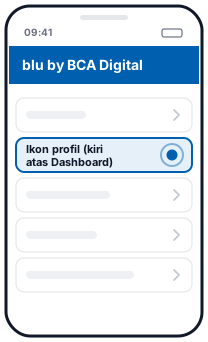 1Ikon profil (kiri atas Dashboard)
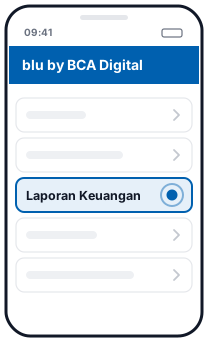 2Laporan Keuangan
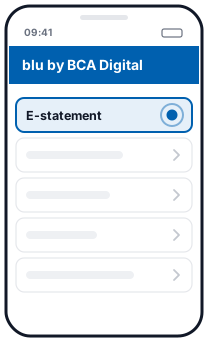 3E-statement
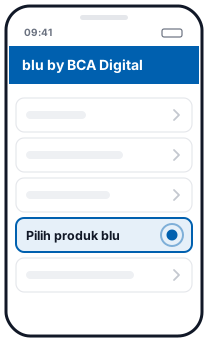 4Pilih produk blu
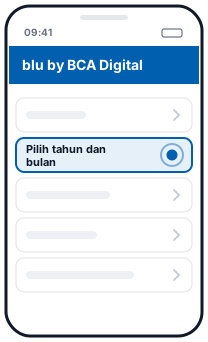 5Pilih tahun dan bulan
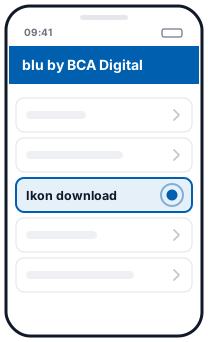 6Ikon download
Illustration, not the official app screen
- Tap your profile icon at the top left of the Dashboard.
- Tap Laporan Keuangan (Financial Reports).
- Choose E-statement.
- Choose the blu product you want: bluAccount, bluSaving or bluGether.
- Choose the year and month.
- Tap the download icon.
According to the blu FAQ, an e-statement can be downloaded for the previous month's transactions. Laporan Keuangan also has a portfolio report and SPT tax-return support data (blu), but the e-statement is the one to use here.
What you get
Each transaction becomes one row with Date, Description, Debit, Credit and Balance columns, as numbers you can add up. Download it as Excel or CSV. For accounting software, choose Export for… and then Jurnal, Xero, QuickBooks, Odoo or Zoho Books. To match it against your ledger, click Reconcile on the account.
Balance check
We recalculate the running balance and match it against the balances printed on the statement. If something doesn't match, that row is flagged so you can check it.
Things to note
- Password-protected PDFs. This page will ask for the password. It is only used in your browser.
- Your file is not uploaded. The PDF is read in your browser and is never sent to a server.
- Scanned PDFs can't be read yet. Use the original PDF from the blu app.
Questions
Is blu fully supported?
Not yet. It's in beta: it hasn't been tested on a real blu statement. This page reads it with a general reader built from how statements are usually laid out. Results are still checked against the printed balances, so check any flagged rows.
What if my blu PDF can't be read?
Use the Send an anonymised sample button. Every letter and digit is replaced before anything is sent, so we only get the layout. You can also write to halo@rekeningkoran.id, without attaching your statement.
My PDF has a password. Can it be opened?
Yes. This page will ask for the password. It is only used in your browser to open the file and is not stored or sent.
Is my file uploaded?
No. The PDF is read and converted in your browser and is never sent to a server.
Updated: 2026-10-20