Which PDF: the Mandiri e-Statement or statement PDF from Livin' by Mandiri. Screenshots, photos and scans cannot be read.
How to get a Mandiri e-Statement
In the Livin' by Mandiri app
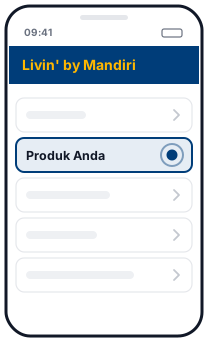 1Produk Anda
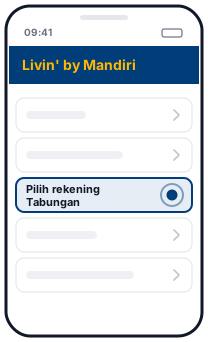 2Pilih rekening Tabungan
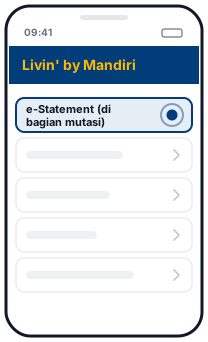 3e-Statement (di bagian mutasi)
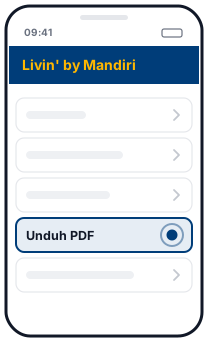 4Unduh PDF
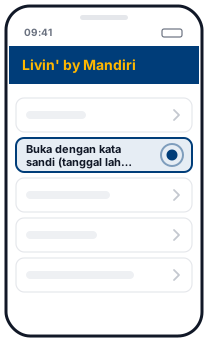 5Buka dengan kata sandi (tanggal lahir DDMMYYYY)
Illustration, not the official app screen
- Open Produk Anda (Your Products), then choose your Tabungan (savings) account.
- In the transaction history (mutasi) section, tap the e-Statement button.
- Download the PDF, then open it with the password.
According to Bank Mandiri, the e-Statement PDF password is your date of birth in DDMMYYYY format (the date of birth registered with Mandiri). This page will ask for it when you drop in a locked file.
By email every month
In Livin', you can sign up for the Consolidated Statement through the Pengaturan (Settings) menu (for Tabungan and Giro accounts). The PDF is sent to your email at the start of each month: as an attachment if it is 2 MB or less, or as a download link valid for 30 days if it is larger.
Three formats, detected automatically
Bank Mandiri has several PDF statement layouts, and each one writes amounts and transaction direction differently. This page detects the format by itself:
- Livin' e-Statement: dates like
04 Sep 2026with the time on the next line, amounts marked+(in) or-(out), and Indonesian number format1.234.567,89. - Livin' Account Statement (a date range you choose): separate Debit and Credit columns, number format
1,234.56. - Laporan Mutasi (older format): dates as
DD/MM, debits marked with the letterD, and a summary of Saldo Awal, Mutasi Kredit, Mutasi Debit and Saldo Akhir (opening balance, total credits, total debits, closing balance).
Whatever the format, the Excel output is the same: date, description, debit, credit and balance, as numbers you can add up.
Automatic balance check
Mandiri statements print a balance on every row and a summary at the top or bottom. We recalculate the running balance from the opening balance, match it against every printed balance, then match total money in, total money out and the closing balance. A green tick means everything matches. A red mark shows the first row to check.
Things to note
- Scanned PDFs can't be read yet. Use the original PDF from Livin' or from Mandiri's email.
- Several months at once. Drop several PDFs together and download them all as one Excel file.
- The Livin' formats are still in beta. If the result doesn't match your PDF, let us know by email (without sending the statement itself).
Questions
Which Mandiri formats are supported?
Three formats: the e-Statement from Livin' by Mandiri, the Account Statement (date range) from Livin', and the older Laporan Mutasi. The format is detected automatically.
What is the password for a Mandiri e-Statement PDF?
According to Bank Mandiri, the password is your date of birth in DDMMYYYY format. This page will ask for it, and the password is not stored.
Why does it say beta?
The older Laporan Mutasi format has been tested on real statements. The two Livin' formats were built from public descriptions and are still being tested. Check the result and let us know if anything is wrong.
Is my file uploaded?
No. The PDF is read and converted in your browser and is never sent to a server.
Updated: 2026-10-20