Which PDF: the BCA e-Statement PDF from myBCA or KlikBCA. Screenshots, photos and scans cannot be read.
How to get a BCA e-Statement
In the myBCA app
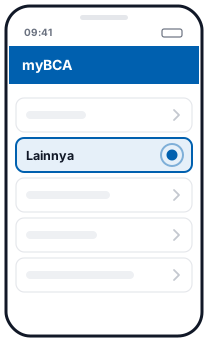 1Lainnya
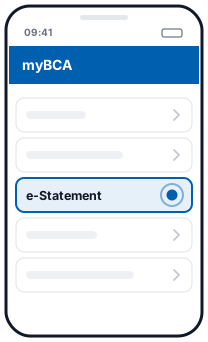 2e-Statement
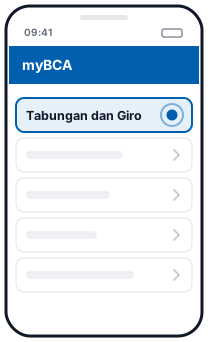 3Tabungan dan Giro
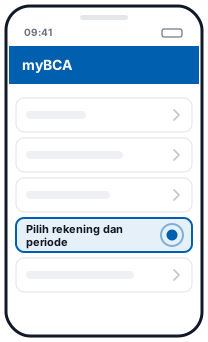 4Pilih rekening dan periode
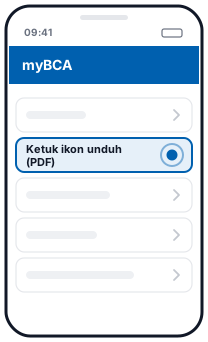 5Ketuk ikon unduh (PDF)
Illustration, not the official app screen
- Log in to myBCA, then tap Lainnya (More) → e-Statement.
- Choose Tabungan dan Giro (Savings and Current Accounts).
- Choose the account and the period (month) you need.
- Tap the download icon to save the PDF.
The steps are the same in the web version of myBCA, ending with Simpan (Save). There is also an e-Statement button on the Mutasi (Transactions) screen.
In KlikBCA Individu
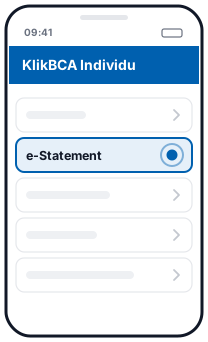 1e-Statement
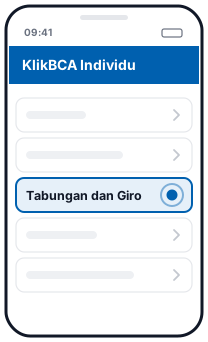 2Tabungan dan Giro
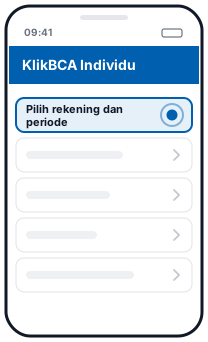 3Pilih rekening dan periode
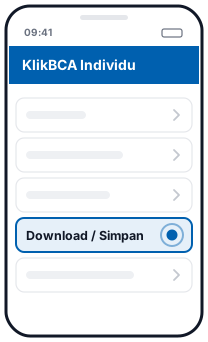 4Download / Simpan
Illustration, not the official app screen
- Log in at klikbca.com and open the e-Statement menu.
- Choose Tabungan dan Giro, then the account and the period.
- Click Download or Simpan.
Each file covers one month. According to BCA, e-Statements are available from January 2016. Since 1 February 2026, BCA branches no longer print statements for Giro Perorangan (personal current accounts), BCA Dollar and Tapres, so the e-Statement is now the main way to get one.
Full guide, including myBCA web: How to download a BCA bank statement.
What happens when you convert
This page reads the BCA e-Statement PDF directly in your browser. For each account in the PDF, you get:
- One row per transaction: date, full description (the transaction type, such as
TRSF E-BANKING,KARTU DEBITorBI-FAST, plus the details), debit, credit and balance. - Full dates: BCA e-Statements print only the day and month (
DD/MM). The year is taken from the period at the top of the page, including for December transactions on a January statement. - Numbers you can add up: BCA's
1,234,567.89format becomes real numbers in Excel, not text.
Automatic balance check
A BCA e-Statement prints the balance only on the last row of each day. At the end of each account it prints a summary: SALDO AWAL (opening balance), MUTASI CR (total credits and number of transactions), MUTASI DB (total debits) and SALDO AKHIR (closing balance). We use all of them:
- A running balance is calculated for every row and matched against every balance BCA printed.
- Total credits, total debits, their transaction counts and the closing balance are matched against BCA's summary.
If everything matches, you see a green tick. If not, the first row with a problem is flagged, with the figure in the PDF and our calculated figure, so you know exactly which row to check.
Things to note
- One PDF, several accounts. If the e-Statement includes more than one account, each account appears as a separate card, and the Excel file has an account number column.
- Scanned or photographed PDFs can't be read yet. Use the original PDF downloaded from myBCA or KlikBCA.
- Several months at once. Drop several PDFs together. You can download the result as one Excel file with a source file column.
Questions
Which BCA accounts are supported?
e-Statement PDFs for Tahapan and Giro accounts, as downloaded from myBCA or KlikBCA. If one PDF contains several accounts, each account is read separately.
Why is the balance column in the BCA PDF empty on some rows?
BCA prints the balance only on the last transaction of each day. We calculate a running balance for every row and match it against the printed balances.
Is my file uploaded?
No. The PDF is read and converted in your browser and is never sent to a server.
What if the PDF is password-protected?
The page will ask for the password. It is only used to open the file in your browser and is not stored.
Updated: 2026-10-20